
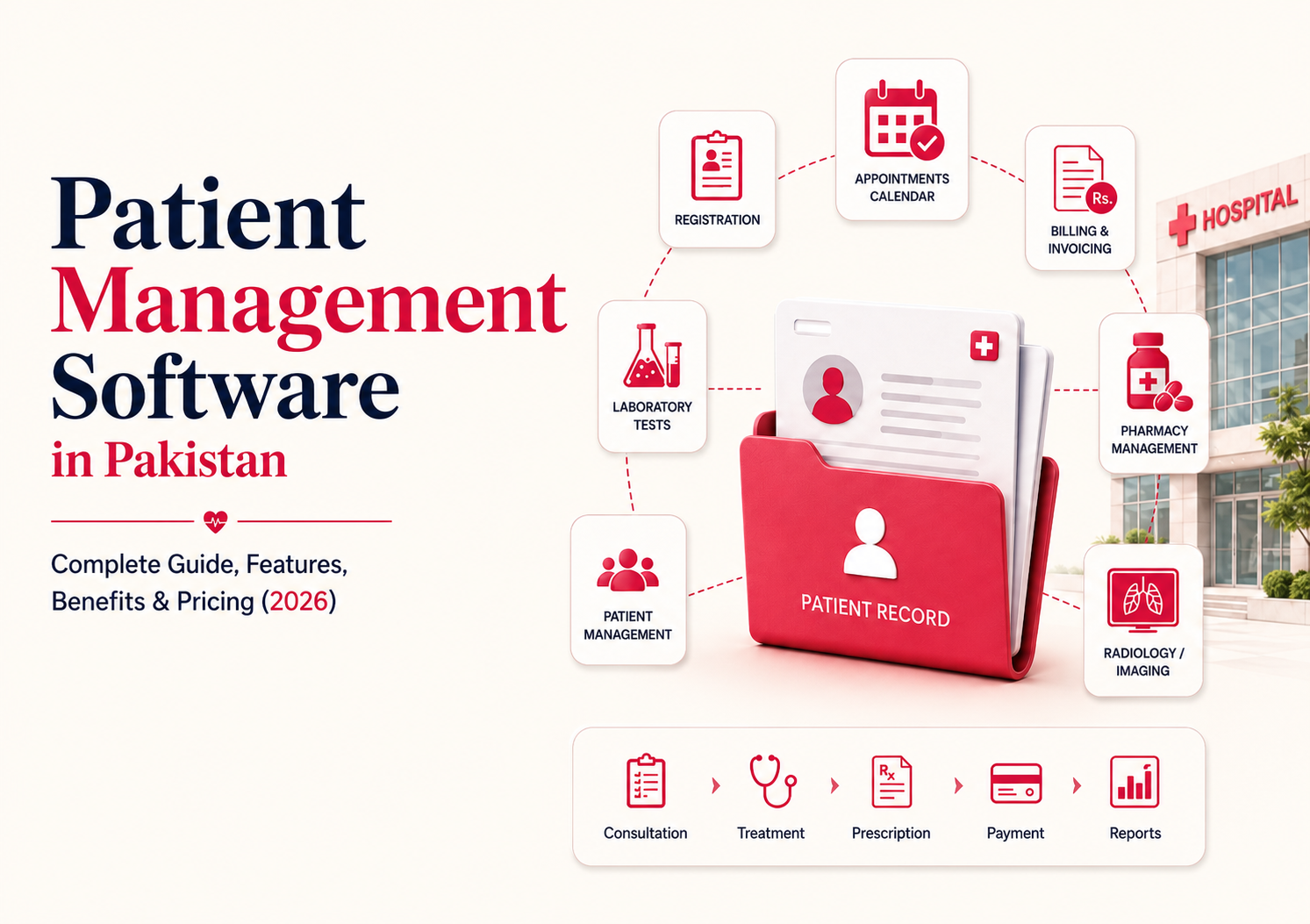
Patient Management Software in Pakistan is becoming essential for hospitals, clinics, and healthcare groups that want faster registration, cleaner patient records, smoother appointments, accurate billing, and better coordination between OPD, IPD, laboratory, pharmacy, and radiology departments.
In many healthcare facilities, patient information still moves through paper files, registers, phone calls, spreadsheets, and disconnected systems. That creates delays at reception, confusion during consultations, missed follow-ups, repeated patient details, billing errors, and poor visibility for administrators.
A digital patient management system solves these problems by keeping patient information, appointments, medical history, services, billing, diagnostics, medicines, and follow-ups connected in one platform.
For hospital administrators, it improves control. For doctors, it improves access to patient history. For patients, it creates a smoother care experience. For healthcare owners, it supports better reporting and operational growth.
This guide explains what patient management software does, which features matter, how it helps hospitals and clinics in Pakistan, how pricing usually works, and how Hospital.Partners simplifies patient management through an integrated HMIS approach.
What Is Patient Management Software?
Patient management software is a digital system used to manage the complete patient journey inside a healthcare facility.
It starts when a patient is registered and continues through consultation, diagnosis, treatment, billing, prescriptions, lab tests, radiology, follow-ups, admission, discharge, and future visits.
A complete hospital patient management system usually includes:
- Patient registration
- Patient profile and MR number
- Appointment scheduling
- OPD consultation records
- IPD admission records
- Medical history
- Doctor notes
- Prescriptions
- Billing and invoices
- Laboratory integration
- Pharmacy integration
- Radiology integration
- Follow-up reminders
- Reports and analytics
In simple terms, patient record management software helps healthcare teams answer:
- Who is the patient?
- What is their medical history?
- Which doctor did they visit?
- What services were provided?
- Which medicines were prescribed?
- Which lab or radiology tests were advised?
- What amount was billed or paid?
- When should the patient return?
When this information is digital and connected, patient care becomes faster and easier to manage.
Why Hospitals in Pakistan Need Digital Patient Management
Hospitals in Pakistan often manage high patient volumes, busy OPD counters, multiple consultants, diagnostic services, pharmacy operations, and billing requirements at the same time.
Manual patient management becomes difficult when departments work separately.
Common problems include:
- Duplicate patient records
- Slow registration
- Missing patient history
- Unclear appointment status
- Long queues
- Delayed lab or radiology reports
- Manual billing mistakes
- Pharmacy and prescription gaps
- Poor follow-up tracking
- Difficult reporting
- Lack of real-time management visibility
A digital patient management system creates one connected patient flow.
For example, when a patient visits OPD, the registration, consultation notes, prescription, lab advice, radiology advice, payment receipt, and patient history should all remain linked. Hospital.Partners’ public product information describes OPD workflows where registration, consultant notes, prescriptions, lab and radiology details, and payment receipts support patient history.
This connection matters because patient care is not handled by one department only. Reception, doctors, billing, laboratory, pharmacy, radiology, nursing, and administration all need accurate information.
Core Features of Patient Management Software
1. Patient Registration
Patient registration is the first step in the patient journey.
Good patient registration software should:
- Create a unique patient profile
- Assign MR number or patient ID
- Capture patient demographics
- Record contact details
- Avoid duplicate records
- Support OPD and IPD registration
- Link future visits to the same patient history
Fast registration reduces waiting time and improves the first patient experience.
2. Medical History
Electronic patient records Pakistan healthcare providers use should make patient history easy to access.
Medical history may include:
- Previous visits
- Diagnoses
- Prescriptions
- Allergies
- Laboratory results
- Radiology reports
- Procedures
- Admission history
- Follow-up notes
- Payment history
Doctors can make better decisions when they do not have to search through paper files or ask the patient to repeat every detail.
3. Appointment Scheduling
Appointment scheduling helps clinics and hospitals manage doctor availability and patient flow.
A good system should support:
- Doctor-wise appointments
- Date and time slots
- Walk-in patients
- Rescheduling
- Cancellations
- Follow-up appointments
- Appointment reports
This is especially useful for clinics, consultants, diagnostic centers, and multi-specialty hospitals.
4. Queue Management
Queue management helps staff track where the patient is in the care process.
For example:
- Registered
- Waiting for doctor
- In consultation
- Sent for lab
- Sent for radiology
- Waiting for billing
- Completed visit
This improves coordination and reduces confusion at busy counters.
5. Billing and Invoicing
Billing should not be disconnected from patient care.
A patient management system should link billing with:
- Registration charges
- Consultation fees
- Laboratory tests
- Radiology services
- Pharmacy items
- Procedures
- IPD services
- Package charges
- Discounts
- Receipts
- Outstanding balances
Integrated billing helps reduce missed charges, duplicate entries, and discharge delays. Hospital.Partners’ billing-related material explains the value of connecting billing, pharmacy, diagnostics, OPD, and IPD in real time to reduce delays and improve billing accuracy.
6. Laboratory Integration
Laboratory integration connects test requests, sample collection, result entry, approval, reporting, and billing.
It helps hospitals:
- Reduce paper requisitions
- Track test status
- Link reports to patient records
- Avoid manual result handling
- Improve report turnaround
- Connect lab services with billing
Hospital.Partners’ product information mentions laboratory integration with analyzers and lab machines, where results can be updated in the database and printed or published on a portal.
7. Pharmacy Integration
Pharmacy integration connects prescriptions with dispensing, inventory, billing, and patient records.
This helps healthcare facilities:
- Track prescribed medicines
- Reduce manual prescription handling
- Improve stock visibility
- Manage expiry and batches
- Connect medicine dispensing with billing
- Maintain medication history
Hospital.Partners’ published content describes pharmacy as integrated with inventory and financial accounts to support stock management.
8. Radiology Integration
Radiology integration connects imaging advice, scheduling, reporting, billing, and patient records.
It supports:
- X-ray
- Ultrasound
- CT scan
- MRI
- Other imaging services
- Radiology reports
- Billing integration
Radiology software works best when it connects with OPD, IPD, ER, billing, and finance rather than operating separately. Hospital.Partners’ radiology content highlights integration with OPD, IPD, ER, billing, and finance.
9. Follow-Ups
Follow-up tracking helps providers continue care after the first visit.
A system may help track:
- Follow-up appointment dates
- Review visits
- Lab report follow-ups
- Chronic disease visits
- Post-procedure reviews
- Medication reviews
Follow-up tracking is important for patient retention, chronic care, and treatment continuity.
Benefits for Hospitals
A hospital patient management system gives administrators and medical teams better control over daily operations.
Faster Patient Flow
Digital registration, appointments, queues, and department coordination reduce unnecessary delays.
Better Patient Records
Doctors and staff can access previous visits, prescriptions, test results, and billing history more easily.
Improved Department Coordination
OPD, IPD, pharmacy, laboratory, radiology, and billing teams work from shared patient information.
Fewer Billing Errors
When services are connected to billing, there is less chance of missing charges or entering them twice.
Better Reporting
Hospital administrators can review patient volumes, department activity, revenue, diagnostics, pharmacy usage, and operational performance.
Stronger Patient Experience
Patients spend less time repeating information and waiting for files, reports, or billing clearance.
Benefits for Clinics
Clinic patient management software helps small and mid-sized practices become more organized without adding unnecessary administrative burden.
Clinics benefit from:
- Faster patient registration
- Appointment scheduling
- Digital prescriptions
- Patient history tracking
- Billing and receipts
- Follow-up reminders
- Doctor-wise patient records
- Better patient communication
- Less paper storage
- Easier reporting
For a single-doctor clinic, it reduces manual workload. For a multi-branch clinic, it helps standardize patient management across locations.
Manual vs Digital Patient Management
| Area | Manual Patient Management | Digital Patient Management |
| Registration | Paper forms and registers | Fast digital registration |
| Patient history | Physical files | Searchable digital records |
| Appointments | Phone or diary | Scheduled and trackable |
| Queue | Verbal coordination | Visible patient status |
| Billing | Manual entry | Linked with services |
| Lab reports | Paper handling | Connected with patient record |
| Pharmacy | Separate dispensing | Prescription-linked pharmacy |
| Radiology | Manual request and report | Integrated imaging workflow |
| Follow-ups | Staff memory or notes | Trackable follow-up records |
| Reporting | Manual compilation | Real-time reports |
The biggest difference is visibility. Manual systems hide problems until patients complain. Digital systems make delays, gaps, and pending work easier to identify.
How Hospital.Partners Simplifies Patient Management
Hospital.Partners is an integrated HMIS platform designed to connect clinical and operational workflows across hospitals and clinics.
Its patient management value comes from connecting modules that often operate separately in manual environments.
Hospital.Partners supports areas such as:
- Patient registration
- Patient history
- OPD management
- IPD management
- Billing
- Laboratory
- Pharmacy
- Radiology
- Inventory
- Financial integration
- Reporting
Hospital.Partners’ public materials describe OPD, IPD, pharmacy, laboratory, billing, and radiology integration as part of its hospital management environment.
What This Means in Practice
When a patient is registered, their visit can flow into consultation, prescription, diagnostics, pharmacy, billing, and history.
When a doctor advises a lab test, the request can move to the laboratory and later return to the patient record.
When medicine is prescribed, pharmacy can process it while stock and billing remain connected.
When radiology is advised, the report can become part of the patient history.
This is why patient management software is not just one feature. It is the umbrella workflow that connects the patient journey.
FAQS
What is the best patient management software in Pakistan?
The best patient management software in Pakistan is one that fits your patient workflow, supports key modules, protects patient data, integrates billing and diagnostics, and scales with your facility. Hospital.Partners is a strong option for integrated HMIS needs.
How much does patient management software cost in Pakistan?
Cost depends on users, modules, branches, deployment type, integrations, data migration, training, and support. A clinic usually needs fewer modules than a full hospital.
Can small clinics use patient management software?
Yes. Small clinics can start with registration, appointments, patient history, prescriptions, billing, and follow-ups, then add more modules as they grow.
What should hospitals check before buying software?
Hospitals should check workflow fit, core modules, ease of use, integrations, data security, reporting, training, support, scalability, and total cost.
Conclusion
Patient management is the center of hospital and clinic operations. Every department depends on accurate patient information, from registration and consultation to diagnostics, pharmacy, billing, admission, discharge, and follow-up.
A modern Patient Management Software in Pakistan helps healthcare providers replace scattered files and disconnected workflows with a connected digital patient journey. It improves visibility, reduces manual work, supports better coordination, and creates a smoother experience for both staff and patients.
For clinics, it brings order and speed. For hospitals, it connects departments. For healthcare groups, it supports scale and standardization.
Hospital.Partners is built around this integrated approach, bringing patient registration, patient history, OPD, IPD, billing, laboratory, pharmacy, radiology, and reporting together in one HMIS environment.
If your hospital or clinic is struggling with long queues, missing records, billing delays, or disconnected departments, now is the right time to evaluate a digital patient management system that can grow with your healthcare organization.