
Hospitals depend on digital systems to manage patient records, appointments, laboratory results, prescriptions, billing, admissions, and daily clinical operations. A Hospital Management Information System (HMIS) brings many of these activities together, making information easier to access and helping departments coordinate patient care.
However, connected systems also create cybersecurity risks. A compromised account, malicious email attachment, outdated server, or vulnerable application can give attackers an opportunity to access sensitive information or disrupt hospital services. Ransomware is particularly concerning because it can encrypt important files, interrupt access to clinical systems, and expose confidential patient data.
In 2026, HMIS cybersecurity is not just an IT responsibility, it is an essential part of patient safety and operational continuity. Hospitals need a layered approach that combines secure software, controlled access, reliable backups, employee awareness, continuous monitoring, and a tested incident response plan.
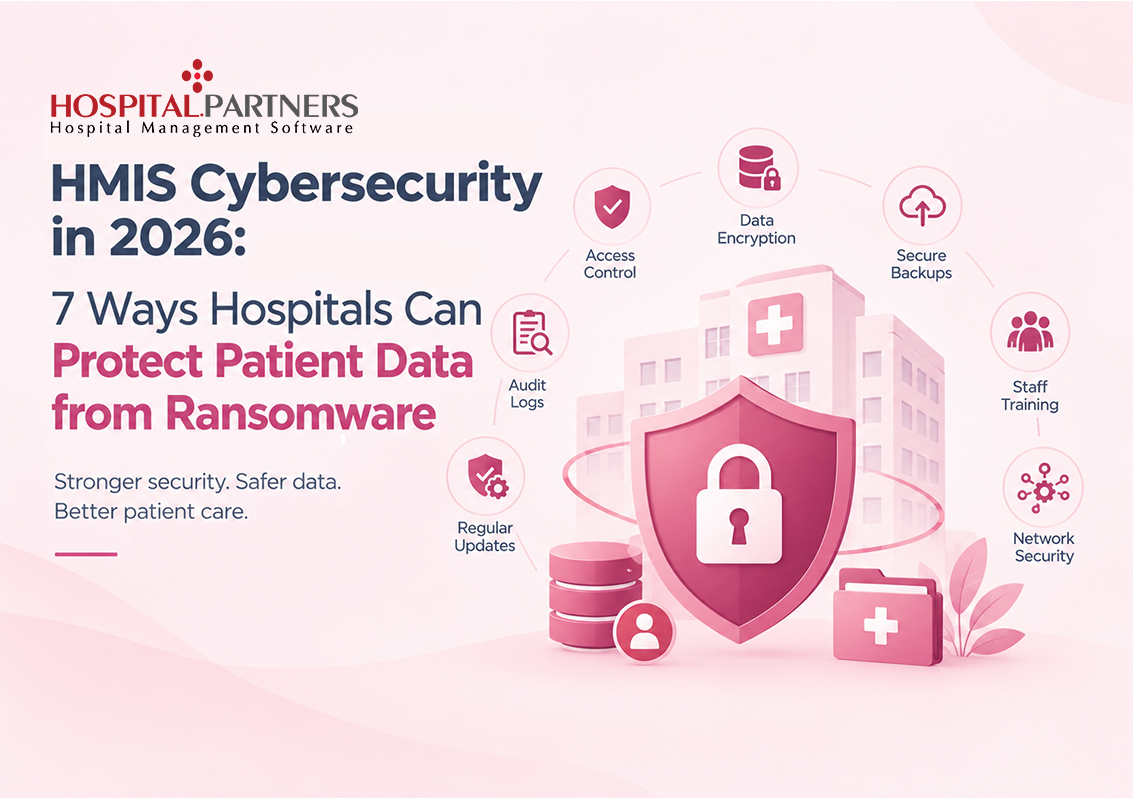
Here are seven practical ways hospitals can strengthen hospital management information system security and protect patient data from ransomware.
Why Is HMIS Cybersecurity Important in 2026?
An HMIS may contain sensitive information such as patient demographics, medical histories, diagnoses, laboratory reports, prescriptions, billing details, and insurance records. Unauthorized access to this information can create privacy risks, financial losses, reputational damage, and operational disruption.
A ransomware incident can also affect the availability of information that clinicians need to provide timely care. For example, if staff cannot access patient histories or laboratory results, departments may need to switch to manual processes while systems are restored.
Healthcare organizations should therefore prioritize three fundamental security objectives:
- Confidentiality: Only authorized people can access sensitive information.
- Integrity: Patient records remain accurate and protected against unauthorized changes.
- Availability: Authorized staff can access critical systems and information when needed.
Effective hospital data security must address all three objectives while allowing clinical teams to work efficiently.
7 Ways Hospitals Can Improve HMIS Cybersecurity
1. Implement Strong Access Controls and Multi-Factor Authentication
Every staff member does not need access to every patient record or administrative function. A receptionist, doctor, laboratory technician, pharmacist, and finance officer have different responsibilities and should receive access appropriate to their roles.
Weak passwords, shared accounts, and excessive permissions can make it easier for attackers to compromise an HMIS. If a single account has broad administrative access, the damage from a stolen password can be much greater.
Hospitals can reduce this risk by:
- Assigning permissions according to staff roles and responsibilities.
- Requiring multi-factor authentication (MFA), especially for administrators, remote access, and other high-risk accounts.
- Prohibiting shared user accounts wherever individual accounts are practical.
- Reviewing access permissions regularly and removing unnecessary privileges.
- Disabling accounts promptly when employees leave or change roles.
- Applying least-privilege principles to service accounts and integrations.
Why it matters: Strong identity and access management makes unauthorized access more difficult and limits the potential impact of a compromised account.
When selecting secure HMIS software, hospitals should verify how the system supports role-based permissions, account management, authentication, and access reviews.
2. Keep HMIS Software, Servers, and Devices Updated
Outdated software can contain known security vulnerabilities that attackers may exploit to gain access to hospital networks. Risk may come from the HMIS application itself, operating systems, database servers, web servers, network devices, remote-access tools, or connected medical equipment.
Hospitals should establish a structured patch and vulnerability management process instead of waiting for a security incident to identify weaknesses.
Recommended practices include:
- Maintaining an inventory of HMIS servers, endpoints, applications, and connected systems.
- Applying security patches according to risk and urgency.
- Replacing unsupported operating systems and software.
- Scanning internet-facing applications and services for vulnerabilities.
- Testing updates in a controlled environment before deploying them to critical production systems.
- Removing unnecessary services and restricting remote administrative access.
Hospitals should also coordinate updates with their HMIS vendor and IT team to reduce the risk of compatibility issues or unexpected downtime.
Why it matters: Prompt vulnerability management reduces opportunities for attackers to exploit weaknesses that could lead to ransomware or data breaches.
3. Maintain Encrypted, Isolated Backups and Test Recovery
Backups are one of the most important safeguards against ransomware. However, simply creating backup copies is not enough. Some ransomware attacks attempt to locate and delete or encrypt backups connected to the same network.
Hospitals should design a backup strategy that protects critical data and supports recovery within an acceptable timeframe.
A practical approach includes:
- Backing up patient records, databases, application configurations, and other essential systems.
- Encrypting backup data and protecting backup credentials.
- Keeping at least one backup copy offline or isolated from the production network.
- Applying the 3-2-1 backup rule as a useful baseline: maintain three copies of important data, on two types of storage media, with one copy stored offline or off-site.
- Testing restoration regularly rather than assuming backups will work.
- Defining recovery priorities and acceptable recovery time and data-loss targets for critical services.
Backup frequency should reflect how quickly hospital data changes and how much data the organization can afford to lose.
Why it matters: Tested, protected backups can help hospitals restore essential systems without relying on attackers to provide decryption keys. Recovery is not always immediate, so hospitals should also maintain procedures for delivering care during downtime.
4. Train Hospital Staff to Recognize Phishing and Other Threats
Cybersecurity tools cannot prevent every mistake. Attackers frequently try to trick employees into opening malicious attachments, visiting fraudulent websites, sharing credentials, or approving unexpected requests.
In a busy hospital, staff may receive messages that appear to come from colleagues, suppliers, insurance providers, or hospital management. A convincing message can make a malicious link difficult to recognize.
Hospitals should make cybersecurity awareness a regular part of staff training.
Important practices include:
- Teaching staff how to identify suspicious links, attachments, and unexpected requests.
- Explaining how to report suspicious emails or unusual system behavior.
- Using realistic phishing exercises to improve awareness.
- Training employees to verify unusual payment or credential requests through a separate trusted channel.
- Providing clear instructions for reporting a suspected security incident.
- Including doctors, nurses, receptionists, contractors, and administrative staff in awareness programs.
Training should be ongoing, easy to understand, and relevant to each employee’s responsibilities.
Why it matters: Early reporting can help the IT team investigate a suspicious event before it develops into a larger incident.
5. Segment Hospital Networks and Protect Connected Systems
Hospital environments may connect clinical applications, administrative systems, servers, workstations, medical devices, guest Wi-Fi, and third-party services. If these systems share unrestricted network access, an attacker who compromises one device may be able to move to others.
Network segmentation helps limit this movement by separating systems according to their purpose and risk.
Hospitals should consider:
- Separating critical HMIS servers and databases from general office networks.
- Restricting communication between clinical, administrative, guest, and medical-device networks.
- Limiting access to database servers to approved applications and administrators.
- Using firewalls and secure remote-access methods.
- Restricting third-party vendor access to approved systems and time periods.
- Monitoring unusual connections between network segments.
Segmentation must be planned carefully so that authorized clinical integrations continue to function. Hospitals should document the connections required for patient care and test security changes before implementing them.
Why it matters: If an attacker gains access to one workstation or account, network segmentation can help prevent the incident from spreading across the entire hospital environment.
6. Monitor Systems, Logs, and Suspicious Activity
Prevention is essential, but hospitals also need to identify suspicious behavior quickly. Unusual login attempts, unexpected privilege changes, large data transfers, disabled security tools, and abnormal file activity may indicate a developing security incident.
A monitoring process should cover the systems that are most important to patient care and sensitive information.
Hospitals can strengthen detection by:
- Collecting relevant logs from HMIS applications, servers, databases, firewalls, and authentication systems.
- Alerting IT teams to repeated failed logins and suspicious administrator activity.
- Monitoring unusual access to sensitive patient records.
- Using endpoint protection and appropriate detection tools.
- Protecting logs from unauthorized modification or deletion.
- Defining who reviews alerts and how incidents are escalated.
Monitoring should be proportionate to the hospital’s size, risk profile, and available resources. Logs should also be protected and retained according to operational needs and applicable requirements.
Why it matters: Earlier detection can help security teams contain suspicious activity, investigate possible data exposure, and reduce the time systems remain at risk.
7. Create and Test a Ransomware Incident Response Plan
Even well-protected hospitals need a plan for responding to a cyberattack. Without clear responsibilities and procedures, staff may lose valuable time deciding whom to contact, which systems to isolate, and how to continue essential services.
A ransomware response plan should involve IT, hospital management, clinical leadership, communications, legal or compliance staff, and relevant service providers.
The plan should explain how to:
- Recognize and report a suspected ransomware incident.
- Escalate the incident to designated decision-makers.
- Isolate affected devices or network segments when appropriate.
- Protect unaffected systems and backup copies.
- Assess whether patient data has been accessed, copied, altered, or encrypted.
- Switch to approved downtime procedures for critical clinical operations.
- Restore systems from verified clean backups.
- Communicate with staff, patients, regulators, and other parties when required.
- Document the incident and review lessons learned.
Hospitals should conduct tabletop exercises and recovery drills to test whether their teams can follow the plan under pressure. The plan should also address dependencies such as network services, identity systems, laboratory integrations, and third-party hosting.
Why it matters: A tested incident response plan helps the hospital coordinate its response, maintain essential care processes, and recover systems more systematically.
HMIS Cybersecurity Checklist for Hospitals
Hospital leaders and IT teams can use this checklist to review their current security practices.
- Role-based access permissions are in place and reviewed regularly.
- MFA protects high-risk accounts and remote access.
- Unsupported software and critical vulnerabilities are addressed.
- Security patches are applied through a documented process.
- Important HMIS data is backed up and protected from production-network attacks.
- Backup restoration is tested periodically.
- Staff receive cybersecurity awareness training.
- Critical systems are separated from less-trusted network environments.
- Security logs and alerts are reviewed.
- A documented ransomware response plan exists.
- Downtime procedures support essential clinical services.
- Vendor access, integrations, and security responsibilities are reviewed.
This checklist is a starting point, not a guarantee of security. Hospitals should assess their own risks, document gaps, assign responsibility, and prioritize remediation based on potential impact.
How Hospital.Partners Can Support Hospital Data Security
Hospitals need an HMIS that helps them manage sensitive patient information while maintaining appropriate access and accountability. When evaluating Hospital.Partners, discuss the following security requirements with the team to understand which capabilities are available for your intended deployment.
1. Controlled Access to Patient Information
Access should be assigned according to staff responsibilities, helping ensure doctors, nurses, receptionists, laboratory staff, and finance teams can access the information needed for their roles.
2. Protection of Sensitive Patient Data
Ask how patient information is protected during transmission and storage, including the encryption methods supported by the application and its hosting environment.
3. User Activity and Accountability
Audit trails can help authorized administrators investigate changes to records and review user activity. Confirm which activities Hospital.Partners logs, how long records are retained, and how audit information is protected.
4. Backup and Recovery Planning
Patient data protection also depends on reliable backups and a tested recovery process. Discuss backup frequency, storage isolation, restoration testing, and responsibilities for disaster recovery.
5. Secure Integrations and System Maintenance
HMIS integrations with laboratories, pharmacies, billing systems, and other services should be reviewed for appropriate access and data protection. Ask about security updates, vulnerability handling, and third-party access controls.
Conclusion
Every hospital has different security, privacy, and operational requirements. Contact the Hospital.Partners team to arrange a product demonstration and discuss access management, auditability, data protection, integrations, and backup and recovery responsibilities.
Before deployment, verify the available controls and agree on which security responsibilities belong to the software provider, hosting provider, and hospital IT team. No HMIS alone can eliminate ransomware risk; effective protection requires secure technology, appropriate configuration, and ongoing hospital cybersecurity practices.