
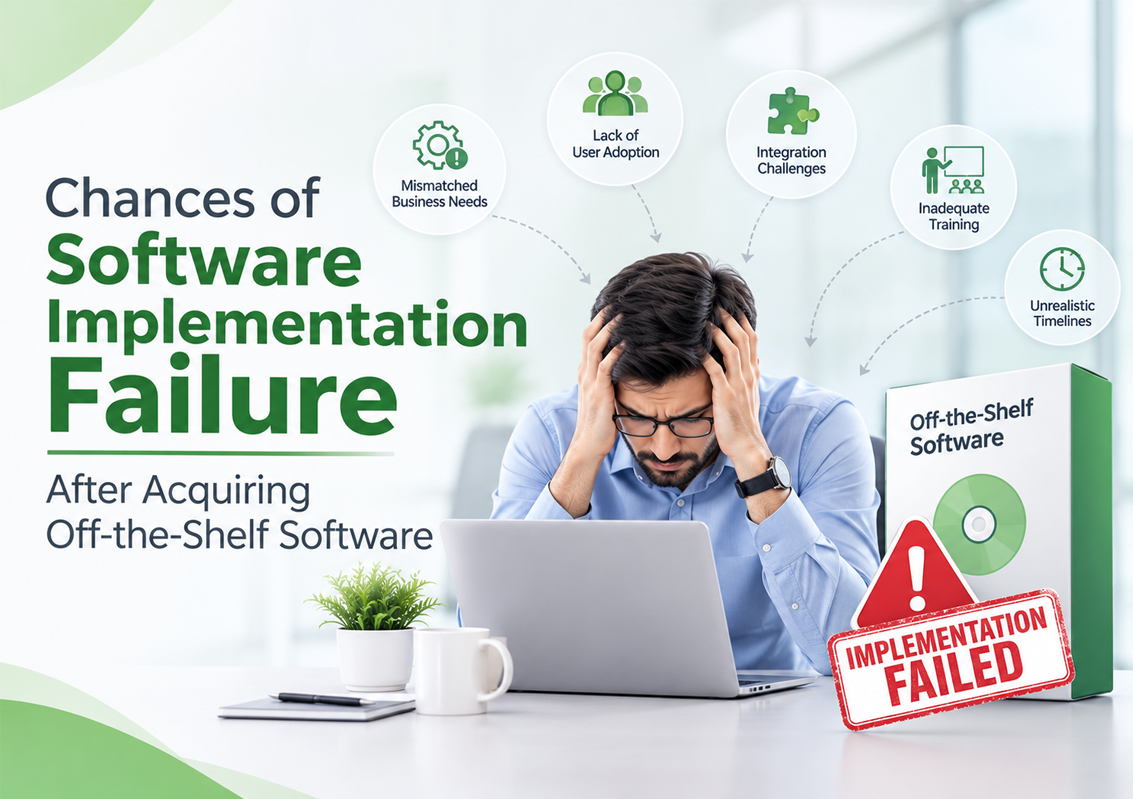
Buying software should make business operations easier. After all, why spend months developing a solution from scratch when a ready-made application already offers the features your business needs?
It sounds like a straightforward decision.
You research available solutions, compare features, select a vendor, purchase the software, and prepare your team for implementation. The expectation is simple: install the system, configure a few settings, train employees, and start enjoying improved efficiency.
But what happens when the software you purchased does not work the way your business actually operates?
Employees struggle with unfamiliar workflows. Existing systems refuse to integrate properly. Essential reports are missing. Your team starts maintaining separate Excel files because the new software cannot accommodate certain business requirements.
Suddenly, what appeared to be a cost-effective decision becomes another operational challenge.
This raises an important question: What are the chances of software implementation failure after acquiring off-the-shelf software?
The reality is that purchasing ready-made software reduces certain development-related risks, but it does not eliminate implementation risks. A pre-built solution can still fail to deliver its intended value if it does not align with business processes, organizational requirements, and employee expectations.
Let’s understand why this happens, what risks businesses should consider, and how to make off-the-shelf software implementation successful.
What is Off-the-Shelf Software?
Off-the-shelf software refers to pre-developed software products designed for multiple businesses or users rather than being built exclusively for one organization.
These solutions typically include predefined functionalities, standard workflows, and features that address common business requirements.
Examples include:
- ERP (Enterprise Resource Planning) systems.
- HR and payroll management software.
- Hospital management systems.
- Accounting and financial management applications.
- Customer Relationship Management (CRM) software.
- Inventory and warehouse management systems.
- Project management applications.
The primary attraction of off-the-shelf software is convenience. Businesses can purchase an existing product instead of investing in a lengthy software development process.
However, there is an important distinction between software being ready for purchase and software being ready for your business.
A solution may work perfectly well for one organization but create significant challenges for another because their operational processes, reporting structures, approval hierarchies, and integration requirements are different.
What Are the Chances of Off-the-Shelf Software Implementation Failure?
There is no universally applicable percentage that accurately predicts the chances of implementation failure for every off-the-shelf software purchase.
The likelihood depends on several factors, including:
- How closely the software matches business requirements.
- The complexity of existing business operations.
- Adamant approach to adopt new features and controls.
- Sticking with existing and incorrect business processes.
- The level of customization required.
- Compatibility with in practice business operations.
- Data migration requirements.
- Employee readiness and adoption. Why this software mindset.
- The quality of implementation planning.
- Vendor support and implementation expertise.
It is important to distinguish between purchasing software and successfully implementing it.
A business can acquire a technically reliable product and still experience an unsuccessful implementation if employees cannot use it effectively or the system does not support critical operational workflows.
In other words, off-the-shelf software reduces the need to build everything from scratch, but it does not remove the need to implement everything correctly.
Why Does Off-the-Shelf Software Still Fail During Implementation?
The assumption that ready-made software is automatically easier to implement is one of the most common misconceptions in business technology.
Here are eight reasons why organizations can struggle even after purchasing an established software product.
1. The Software Does Not Fully Match with Existing Business Requirements
This is perhaps the most significant challenge.
Off-the-shelf software is generally developed to serve a broad market. Its standard features are designed around common industry best practice requirements, not necessarily the specific workflows of every organization.
Consider a manufacturing business that purchases an ERP system.
The software may offer inventory management, sales processing, and financial reporting. However, the company may also require:
- Production planning.
- Material Requirements Planning (MRP).
- Batch and lot tracking.
- Multi-warehouse inventory management.
- Production cost calculations.
- Quality control workflows.
If these requirements are not adequately supported, employees may have to perform certain activities outside the software.
Over time, these workarounds create disconnected processes and reduce the value of the investment.
How to avoid it:
Conduct a detailed requirements assessment before purchasing software. Compare actual business workflows against the application’s available functionality.
Do not evaluate a product solely on its feature list. Determine whether those features can support the way your organization operates.
2. Businesses Underestimate Customization Requirements
Off-the-shelf software often comes with standard configurations. However, businesses may require adjustments to accommodate their operational structures.
For example, an HR department may need specific salary calculations, attendance policies, leave approval workflows, or employee reporting formats.
A standard HR system may handle basic employee records and payroll processing but lack the flexibility required for the organization’s policies.
This creates a difficult situation.
The business must either modify its processes to match the software or explore available customization options.
Neither decision should be made without understanding the long-term implications.
Excessive customization can increase implementation costs, complicate future upgrades, and create additional maintenance requirements.
How to avoid it:
Before purchasing, identify which requirements can be addressed through standard configuration and which genuinely require customization.
Ask the vendor:
- What features can be configured?
- Which functionalities can be customized?
- Are customizations supported during future upgrades?
- Will additional development affect implementation timelines?
- What are the long-term maintenance implications?
The objective should be to achieve the right balance between standard functionality and business-specific requirements.
3. Integration with Existing Systems Becomes Complicated
Most established businesses already use multiple applications to manage their operations.
An organization might have separate systems for accounting, payroll, inventory, procurement, sales, and customer management.
Introducing new software into this environment requires careful integration planning.
For example, a company may purchase a new ERP solution but discover that it cannot exchange information efficiently with its existing accounting or warehouse management applications.
This can result in:
- Duplicate data entry.
- Inconsistent financial records.
- Delayed reporting.
- Manual information transfers.
- Disconnected departmental workflows.
The software may perform its intended functions independently, but the overall business ecosystem remains inefficient.
How to avoid it:
Evaluate integration requirements before finalizing the purchase.
Check whether the software supports relevant APIs, database connections, data exchange formats, and integration methods.
Also, identify which existing applications will remain operational and how information will move between systems.
Integration should be part of the software selection process, not an issue discovered after implementation begins.
4. Data Migration is More Difficult Than Expected
Businesses often assume that moving information from an existing system into a new application is a straightforward technical activity.
In practice, data migration can be one of the most challenging parts of software implementation.
Existing business data may contain duplicate records, inconsistent formats, outdated information, missing fields, or incorrect entries.
Consider a business moving from spreadsheets and legacy accounting software to a new ERP platform.
Its existing records may include different product codes, inconsistent customer information, multiple inventory formats, and years of financial transactions.
Transferring this information without proper validation can affect reporting accuracy and daily operations.
How to avoid it:
Before migrating data:
- Conduct a complete data audit.
- Identify duplicate and outdated records.
- Standardize information formats.
- Map existing fields to the new system.
- Validate migrated records.
- Reconcile important opening balances.
- Maintain appropriate backups.
Remember, the quality of information entering the new software directly influences the reliability of its output.
5. Employees Struggle to Adapt to the New System
A software product can be technically excellent and still fail to achieve meaningful adoption.
Why?
Because employees do not necessarily welcome changes to familiar working methods.
Imagine an organization where employees have managed attendance, payroll information, inventory, or sales records through spreadsheets for years.
Now management introduces a new application with different workflows, approval processes, and reporting procedures.
Even if the software is more efficient, employees may initially find it unfamiliar or difficult to use.
Some may continue maintaining spreadsheets alongside the new application. Others may avoid certain features because they do not understand how they work.
Eventually, the organization ends up paying for software that employees are not fully utilizing.
How to avoid it:
Treat employee adoption as an important part of implementation.
- Involve end users before deployment.
- Explain the purpose of the new software.
- Provide practical, role-based training.
- Demonstrate how the system improves daily work.
- Collect feedback during implementation.
- Offer ongoing support after go-live.
Software adoption is not automatic. Employees need the right guidance, training, and time to adjust.
6. The Business Assumes Ready-Made Means Ready-to-Use
One of the most misleading assumptions surrounding off-the-shelf software is that purchasing the product means the organization can start using it immediately.
While the software may already be developed, it still needs to be configured for the purchasing organization’s requirements.
A hospital management system, for example, may offer modules for patient registration, laboratory, pharmacy, billing, and inventory.
However, the hospital still needs to establish its departmental workflows, user permissions, billing structures, reporting requirements, and operational settings.
Similarly, an ERP system requires appropriate configuration of business units, warehouses, financial structures, production processes, and approval hierarchies.
Without proper configuration, the software may not reflect the organization’s actual operating environment.
How to avoid it:
Understand the difference between product readiness and implementation readiness.
Before deployment, ensure that all critical business processes have been reviewed, the system has been configured appropriately, and the relevant departments have tested their workflows.
7. The Software Cannot Scale with Business Growth
A solution that works for a small organization may become restrictive as the business expands.
Growth introduces new operational requirements.
A company may open additional branches, increase its workforce, expand warehouse operations, introduce new product categories, or enter different markets.
If the selected software cannot accommodate these changes, the organization may eventually need another system.
This creates additional costs, migration challenges, and potential business disruption.
Scalability is particularly important when selecting enterprise software such as ERP, HR and payroll, and hospital management systems.
How to avoid it:
Evaluate the software’s scalability before purchasing.
Consider:
- Multi-branch and multi-location capabilities.
- User and transaction capacity.
- Support for additional modules.
- Reporting and analytics capabilities.
- Integration flexibility.
- Upgrade and expansion options.
Do not select software based only on your current requirements. Consider where your business expects to be in the next three to five years.
8. Vendor Support is Not Adequate After Purchase
The relationship between a business and its software provider should not end when the purchase is completed.
Implementation often reveals requirements and challenges that were not apparent during initial product demonstrations.
Employees may need additional training. Certain configurations may require adjustments. Technical issues may emerge during real-world usage.
Without adequate vendor support, these problems can affect user confidence and operational efficiency.
For businesses using mission-critical software, unresolved issues can have wider consequences.
For example, payroll processing delays, inventory discrepancies, or disruptions in hospital administration can affect multiple departments.
How to avoid it:
Evaluate the vendor’s support capabilities before making a purchase.
Ask about:
- Implementation assistance.
- Technical support availability.
- Response and resolution procedures.
- Software updates and maintenance.
- User training.
- Documentation.
- Long-term product development.
The right software provider should offer support throughout the software lifecycle, not just during the sales process.
Off-the-Shelf Software vs. Custom Software: Which Has a Higher Implementation Risk?
A common response to off-the-shelf software challenges is to consider custom software development instead.
However, neither approach guarantees implementation success.
Both options have advantages and potential risks. The right choice depends on the organization’s requirements, budget, operational complexity, and long-term objectives.
| Comparison Factor | Off-the-Shelf Software | Custom Software |
| Development | Already developed | Built according to requirements |
| Initial availability | Generally faster | Requires development time |
| Business alignment | Depends on existing features and configuration | Can be designed around specific workflows |
| Customization | May have product limitations | Greater design flexibility |
| Initial investment | Often lower | Can be higher |
| Integration | Depends on available integration capabilities | Can be planned around required systems |
| Implementation complexity | Varies with configuration and business fit | Depends on development and deployment scope |
| Scalability | Depends on product architecture and licensing | Can be designed around growth requirements |
| Maintenance | Usually vendor-dependent | Depends on the development and support arrangement |
So, Which Option Should Businesses Choose?
Off-the-shelf software is often a suitable choice when:
- Business requirements are relatively standard.
- The product already supports essential workflows.
- Implementation time is an important consideration.
- The organization does not require extensive customization.
- The available integration options meet business needs.
Custom software may be more appropriate when:
- Business processes are highly specialized.
- Existing products cannot support critical requirements.
- Unique workflows create a competitive advantage.
- Extensive integration is necessary.
- The organization requires greater control over functionality and development priorities.
There is also a third approach worth considering: configurable industry-specific software.
These solutions offer pre-developed functionality for particular business sectors while providing configuration and customization options to accommodate organizational requirements.
For many businesses, this can offer a practical balance between the convenience of ready-made software and the flexibility of custom development.
7 Questions to Ask Before Purchasing Off-the-Shelf Software
One of the easiest ways to reduce implementation risk is to ask the right questions before signing the purchase agreement.
Here are seven questions every business should consider.
1. Does the software support all our essential business processes?
Do not focus only on the features shown during a product demonstration. Evaluate actual workflows across departments.
2. Can the software accommodate our existing business policies?
Check whether approval structures, operational rules, financial requirements, and reporting formats can be configured appropriately.
3. Can it integrate with our existing applications?
Understand how information will move between the new software and systems that your business already uses.
4. What data migration assistance is available?
Clarify who will prepare, migrate, validate, and reconcile your existing information.
5. What training will employees receive?
Ask whether training is included and whether it will be tailored to different departments and user roles.
6. What happens when our business grows?
Understand licensing, additional modules, user capacity, branch expansion, and future upgrade requirements.
7. What support is available after implementation?
Clarify the vendor’s support arrangements, maintenance responsibilities, and issue-resolution procedures.
These questions can reveal potential implementation problems before they become expensive operational challenges.
How to Reduce the Risk of Off-the-Shelf Software Implementation Failure?
Selecting a suitable product is only the first step. Organizations need a structured implementation strategy to translate their software investment into business results.
The following approach can help reduce implementation risks.
Step 1: Conduct a Business Requirements Assessment
Document existing processes, identify operational bottlenecks, and define what the software should accomplish.
Step 2: Evaluate the Software Against Actual Workflows
Map business requirements against the software’s standard features, configuration options, and customization capabilities.
Step 3: Assess Integration and Data Migration
Identify the systems that need to communicate with the new application and prepare existing data for migration.
Step 4: Develop an Implementation Roadmap
Establish project milestones, responsibilities, timelines, resources, testing activities, and deployment plans.
Step 5: Involve Employees and Department Heads
Gather feedback from actual users and ensure that each department understands its responsibilities during implementation.
Step 6: Test Before Going Live
Conduct functional testing and user acceptance testing (UAT). Verify that essential business scenarios work correctly before deployment.
Step 7: Monitor Performance After Deployment
Track system adoption, processing efficiency, data accuracy, and other relevant KPIs to determine whether the software is delivering its expected value.
Following these steps helps organizations move beyond simply acquiring software and focus on achieving meaningful operational improvements.
Why the Right Software Partner Matters More Than the Software Purchase
When evaluating off-the-shelf software, businesses often spend considerable time comparing product features, pricing, and licensing options.
However, the software provider’s implementation expertise deserves equal attention.
An experienced software partner understands that different organizations have different operational requirements, even when they belong to the same industry.
For example, two manufacturing companies may both require ERP software, but their production processes, inventory structures, costing methods, and reporting requirements may be entirely different.
Similarly, two hospitals may use the same category of hospital management software while following different departmental workflows and administrative procedures.
A reliable software partner should help businesses:
- Understand their actual operational requirements.
- Identify gaps between existing processes and software capabilities.
- Configure the system appropriately.
- Plan data migration and integration.
- Train employees and support adoption.
- Provide assistance after deployment.
- Support future business requirements.
The objective should not simply be to sell a software product. It should be to ensure that the product delivers practical value to the organization.
How Softronic Systems Helps Businesses Choose the Right Software Solutions
At Softronic Systems, we recognize that business software should be evaluated beyond its features and pricing.
The real question is whether a solution can support the organization’s operational requirements and contribute to better business management.
Our portfolio includes industry-focused software solutions designed for different business environments.
People.Partners – HR and Payroll Management
People.Partners provides HR and payroll management capabilities, supporting employee records, attendance, leave management, payroll processing, and related human resource activities.
Hospital.Partners – Hospital Management Software
Hospital.Partners offers integrated hospital management capabilities covering key operational areas such as patient registration, laboratory, radiology, pharmacy, billing, inventory, and financial workflows.
Financials.Partners – ERP Software
Financials.Partners supports manufacturing and trading businesses with functionalities covering financial management, inventory, production, material requirements planning, sales, and distribution.
Advertising.Partners – Advertising Management Software
Advertising.Partners supports advertising businesses in managing job orders, estimates, media planning, campaign activities, billing, and financial processes.
PharmaBridge – Pharmaceutical Business Intelligence
PharmaBridge provides access to pharmaceutical industry information and business intelligence to support market understanding and informed business decisions.
Rather than assuming every business has identical requirements, the right approach is to understand the organization’s needs and evaluate how the available software capabilities align with them.
Whether you are considering ERP, HR and payroll, hospital management, or advertising management software, selecting a suitable solution is an important first step toward successful implementation.
Explore Softronic Systems’ software solutions: https://softronicsys.com/
Final Thoughts: Buying Software is Easy. Making It Work is the Real Challenge.
Off-the-shelf software offers businesses an opportunity to adopt established technology without developing every feature from scratch.
But purchasing an existing product does not guarantee a successful implementation.
A mismatch between business requirements and software functionality, inadequate customization planning, integration problems, poor data migration, employee resistance, and insufficient vendor support can all undermine the investment.
The important thing is to stop treating software acquisition and software implementation as the same activity.
Before purchasing any business application, evaluate how well it fits your workflows, what adjustments it requires, how it will integrate with existing systems, and whether the provider can support your organization beyond the initial purchase.
The best software is not necessarily the one with the most features. It is the one your business can successfully implement, adopt, and use to achieve measurable results.
Looking for business software that aligns with your organization’s requirements?
Connect with Softronic Systems to explore industry-focused software solutions designed to support efficient business operations and long-term growth.
FAQS
1. What are the chances of failure when implementing off-the-shelf software?
There is no single failure probability applicable to all off-the-shelf software implementations. The risk depends on business requirements, software suitability, integration complexity, data quality, employee adoption, implementation planning, and vendor support.
2. Why does off-the-shelf software fail?
Off-the-shelf software can fail to deliver expected results when its standard features do not align with business requirements, required integrations are unavailable, customization is inadequate, employees are not properly trained, or implementation is poorly managed.
3. Is off-the-shelf software easier to implement than custom software?
Off-the-shelf software can be faster to deploy because its core functionalities are already developed. However, implementation may still be complicated when extensive configuration, customization, integration, or data migration is required. Custom software involves additional development work but can be designed around specific business requirements.
4. What are the biggest risks of buying ready-made software?
The biggest risks include limited customization options, functional mismatches, integration limitations, unexpected implementation costs, data migration problems, scalability constraints, employee adoption challenges, and inadequate vendor support.
5. Can off-the-shelf software be customized?
Many off-the-shelf software products offer configuration and customization options. The extent of customization depends on the software architecture, vendor policies, licensing arrangements, and available development capabilities. Businesses should evaluate these limitations before purchasing.
6. How can businesses avoid off-the-shelf software implementation failure?
Businesses can reduce implementation risks by conducting requirements analysis, evaluating software functionality, checking integration capabilities, preparing data, involving employees, providing training, conducting thorough testing, and selecting a reliable implementation partner.
7. Is off-the-shelf software cheaper than custom software?
Off-the-shelf software generally requires less initial development investment because the product is already built. However, licensing, customization, integration, implementation, training, maintenance, and future upgrades can affect the total cost of ownership. Custom software may require a higher initial investment but can be more suitable for specialized requirements.
8. When should a business choose custom software instead of off-the-shelf software?
Custom software may be appropriate when business processes are highly specialized, existing products cannot support critical requirements, extensive integration is necessary, or the organization needs greater control over functionality and future development.
9. What is the difference between off-the-shelf software and industry-specific software?
Off-the-shelf software is a broad category of pre-developed products designed for multiple users or organizations. Industry-specific software is developed around the common operational requirements of a particular sector, such as healthcare, manufacturing, or pharmaceuticals.
10. What should businesses check before purchasing ready-made software?
Businesses should evaluate functional suitability, customization capabilities, integration options, data migration support, scalability, employee usability, vendor experience, implementation services, and ongoing technical support.