
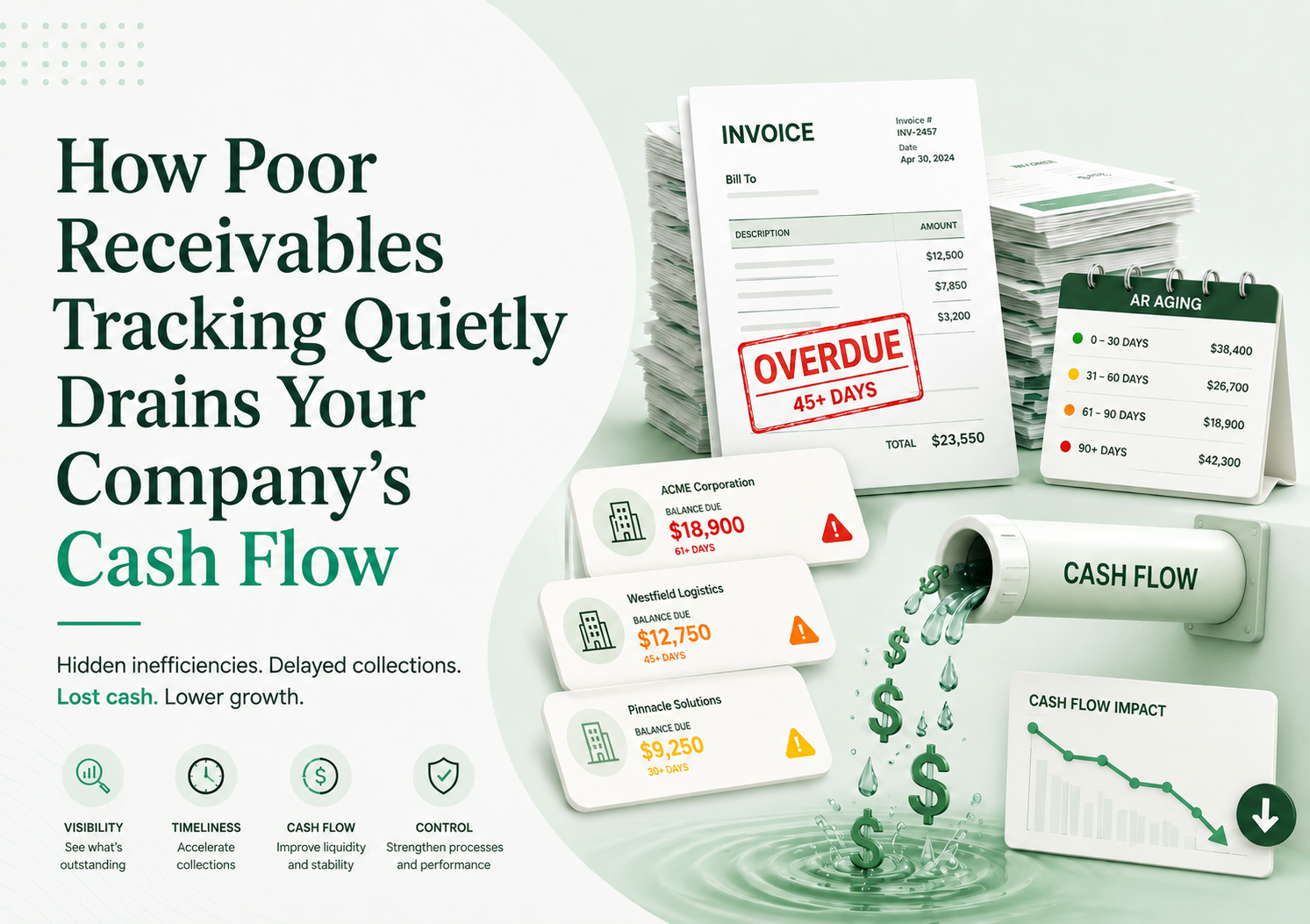
Cash flow rarely collapses overnight. More often, it leaks slowly.
One invoice is sent late. Another customer exceeds credit terms. A payment is received but not matched. A sales team keeps selling to an already overdue customer. The finance team notices the problem only when salaries, supplier payments, or tax deadlines are near.
That is the danger of poor receivables tracking. It does not always look like a crisis. It looks like “business as usual” until the company realizes that revenue has been recorded, but cash has not arrived.
For SMEs and growing businesses, this gap can become painful. Sales may be increasing, but bank balances remain tight. Profit appears healthy on reports, yet the business struggles to pay suppliers on time. The reason is often hidden inside weak accounts receivable management.
This article explains how poor receivables tracking drains cash flow, how to identify the warning signs, and how sales receivable software such as the Financials Partners Sales & Receivable Module can help finance teams improve visibility, collections, forecasting, and month-end closing.
What Is Receivables Tracking?
Receivables tracking is the process of monitoring customer invoices from the moment they are created until the payment is fully received, matched, and recorded.
It includes:
- Invoice creation
- Customer balance tracking
- Due date monitoring
- Payment follow-up
- Overdue invoice reporting
- Credit limit review
- Collection notes
- Receipt matching
- Customer aging analysis
- Sales and receivable reporting
In simple terms, receivables tracking answers four questions:
- Who owes us money?
- How much do they owe?
- When was it due?
- What action has been taken to collect it?
A strong accounts receivable process gives finance teams a clear view of cash expected, cash delayed, and cash at risk.
A weak process leaves teams guessing.
Why Businesses Underestimate the Impact of Receivables
Many businesses treat receivables as an accounting follow-up task. That is a mistake.
Receivables are not just numbers in the ledger. They are a major part of working capital management. If receivables are not collected on time, the business has less cash to fund salaries, inventory, supplier payments, utilities, loan installments, and growth plans.
The problem is that sales and cash do not move at the same speed.
A company may issue Rs. 20 million in invoices this month, but if customers pay after 60 or 90 days, the business still needs cash to operate during that waiting period.
Delayed collections create pressure on:
- Supplier payments
- Payroll
- Inventory purchasing
- Bank borrowing
- Credit limits
- Month-end closing
- Cash flow forecasting
- Management decisions
A sale is not complete until the cash is collected.
Hidden Ways Poor Receivables Tracking Hurts Cash Flow
1. Invoices Are Sent Late
If invoices are not generated immediately after sales, dispatch, delivery, or service completion, the payment cycle starts late.
For example, if your customer has 30-day credit terms but the invoice is sent 7 days after delivery, the real collection period becomes 37 days or more.
That delay directly affects cash flow.
2. Due Dates Are Not Monitored
Many finance teams know the total receivable amount but cannot quickly identify which invoices are due today, overdue this week, or stuck beyond 60 days.
Without due date monitoring, collections become reactive instead of planned.
3. Follow-Ups Depend on Memory
When invoice follow-up depends on individual staff members, important reminders get missed.
This usually happens when AR teams use:
- Excel sheets
- WhatsApp messages
- Email folders
- Manual call logs
- Personal notebooks
- Unconnected accounting entries
If the responsible employee is absent or leaves the company, collection history becomes unclear.
4. Customer Balances Are Not Visible to Sales Teams
Sales teams may continue accepting orders from customers who already have overdue balances.
This creates a dangerous cycle:
- Customer delays payment
- Sales continues
- Receivables increase
- Credit exposure grows
- Finance raises concern too late
A good receivables dashboard helps sales and finance work with the same customer balance information.
5. Payments Are Received but Not Matched
Sometimes customers pay, but the payment is not matched properly against invoices.
This creates confusion:
- Customers claim they paid
- Finance cannot identify the invoice
- Statements do not reconcile
- Aging reports become inaccurate
- Follow-ups are sent incorrectly
Poor receipt matching damages both cash visibility and customer trust.
6. Overdue Invoices Are Not Prioritized
Not all overdue invoices carry the same risk.
A Rs. 2 million invoice overdue by 10 days may need more attention than a Rs. 20,000 invoice overdue by 45 days.
Without proper reporting, AR teams may chase the easiest customers instead of the highest-risk balances.
7. Month-End Closing Takes Too Long
When receivables are tracked manually, finance teams spend month-end reconciling invoices, receipts, debit notes, credit notes, and customer balances.
This delays financial reporting and weakens management decisions.
Signs Your Business Has a Receivables Problem
You may have a receivables tracking problem if:
- Customers regularly pay after the due date
- AR reports are prepared manually
- Finance depends on Excel for invoice tracking
- Sales does not know customer outstanding balances
- Collection follow-ups are not documented
- Customer statements often need correction
- Receipts are difficult to match with invoices
- Management asks for cash position updates repeatedly
- Month-end closing takes longer than expected
- Old invoices remain unresolved for months
- Customers dispute invoices frequently
- Cash flow feels tight despite strong sales
One or two signs may be manageable. Several signs together indicate a process problem, not just a customer problem.
Real-World Example: The Growing Distributor
Consider a fictional trading company called Metro Supply Co.
The company sells products to retail stores and offers 30-day credit terms. Sales are growing, and management feels confident. Monthly revenue has increased from Rs. 25 million to Rs. 40 million.
But the bank balance is getting worse.
After reviewing the accounts receivable process, the finance manager finds:
- Invoices are sometimes prepared 3–5 days after dispatch
- Follow-ups are done through personal WhatsApp messages
- Customer aging is updated once a week
- Sales staff continue orders for overdue customers
- Receipts are not matched daily
- Some customers pay partial amounts without details
- Old debit notes remain unresolved
- Management sees total receivables but not collection risk
The result?
The company is profitable on paper but short on cash. It starts delaying supplier payments and using bank overdraft more frequently.
After implementing automated receivables tracking, the company begins monitoring invoice due dates, customer balances, overdue buckets, collection actions, and expected cash inflows.
Within a few months, the finance team improves follow-up discipline and management gets earlier visibility of collection risk.
The lesson is clear: growth without receivables control can create cash stress.
The Cost of Delayed Collections
Delayed collections affect more than bank balance.
They increase the cost of doing business.
Example
Suppose a business has Rs. 50 million in monthly credit sales.
If average collection time increases from 30 days to 45 days, the company has an additional 15 days of sales stuck in receivables.
That means around Rs. 25 million of extra cash is tied up.
If the company uses bank borrowing to cover the gap, delayed collections create financing costs. If it delays supplier payments, it may lose discounts or damage relationships. If it reduces inventory purchases, sales may suffer.
Poor receivables tracking can create hidden costs through:
- Higher borrowing
- Missed supplier discounts
- Delayed procurement
- Stock shortages
- Reduced negotiation power
- More staff time spent on follow-up
- Bad debts
- Customer disputes
- Slower financial reporting
Every extra day in receivables has a cost.
Manual Receivables Tracking vs Automated Receivables Management
| Area | Manual Receivables Tracking | Automated Receivables Management |
| Invoice tracking | Excel, email, or ledger review | Real-time invoice status |
| Customer balances | Updated manually | Live customer balance visibility |
| Due date monitoring | Staff must check manually | System highlights due and overdue invoices |
| Follow-up | Phone, email, WhatsApp, memory | Structured reminders and collection workflow |
| Aging analysis | Prepared manually | Automated aging reports |
| Payment matching | Time-consuming reconciliation | Faster receipt allocation and tracking |
| Sales visibility | Often disconnected | Customer credit and balance visibility |
| Forecasting | Based on assumptions | Based on expected collections |
| Month-end closing | Slow and manual | Faster AR review and reporting |
| Control | Depends on people | Supported by process and system rules |
Manual tracking may work for a very small business. But once invoice volume, credit sales, branches, or customer count grows, manual methods become risky.
How Financials.Partners by Softronic Systems Sales & Receivable Module Solves These Problems
Financials.Partners an ERP by Softronic Systems is designed to connect sales activity with receivables and financial accounts.
Its Sales & Receivable Module helps businesses manage the journey from sales order to dispatch and receivables in a workflow-based manner. This matters because receivables do not begin when finance starts collection. They begin at the sale.
1. Real-Time Invoice Tracking
Finance teams can track invoices as part of the receivables process instead of waiting for manual updates.
This helps answer:
- Which invoices are pending?
- Which are due soon?
- Which are overdue?
- Which customers need follow-up?
- Which invoices are linked to sales or dispatch?
2. Customer Balance Monitoring
Customer balance visibility helps finance and management understand exposure.
Instead of asking different departments for updates, teams can view customer-wise receivables and take action earlier.
3. Better Collection Follow-Up
A structured receivables process helps AR teams avoid random follow-up.
They can prioritize:
- High-value overdue invoices
- Customers with repeated delays
- Invoices crossing credit terms
- Accounts close to credit limits
- Disputed balances
4. Improved Cash Flow Forecasting
Cash flow forecasting improves when expected collections are based on actual receivables data.
Finance teams can estimate:
- Expected collections this week
- Customers likely to delay
- Receivables by aging bucket
- Risky balances
- Cash shortfall periods
5. Faster Month-End Closing
When sales, receivables, and financial accounts are connected, finance teams spend less time reconciling disconnected records.
This supports faster reporting and better management decisions.
6. Stronger Financial Reporting
Receivables reports help CFOs and controllers review:
- Total outstanding
- Customer-wise balances
- Aging analysis
- Collection status
- Sales receivable position
- Overdue exposure
- Receivable trends
Better reporting leads to better cash decisions.
Key Features Every Business Should Look For
When evaluating accounts receivable software, do not only ask whether it can record invoices.
Ask whether it improves the full accounts receivable process.
1. Invoice Tracking
The system should show invoice status, due dates, outstanding amounts, and payment history.
2. Customer Aging
Aging reports should break receivables into buckets such as:
- Current
- 1–30 days overdue
- 31–60 days overdue
- 61–90 days overdue
- More than 90 days overdue
3. Customer Balance Visibility
Finance and authorized users should see customer-wise balances without manual calculation.
4. Collection Notes and Follow-Up
The system should help teams document follow-up actions, promised payment dates, and customer responses.
5. Reminder Support
AR automation should support timely invoice follow-up so customers are contacted before invoices become seriously overdue.
6. Integration with Sales
Receivables should connect with sales orders, dispatches, invoices, and customer terms.
7. Integration with Accounting
Receivables must connect with financial accounts to avoid duplicate entry and reconciliation delays.
8. Receivables Dashboard
A receivables dashboard should give quick visibility into overdue balances, expected collections, and customer exposure.
9. Financial Reporting
Reports should support management review, cash flow management, working capital management, and month-end closing.
10. Access Controls
Sensitive customer and financial data should be visible only to authorized users.
Best Practices for Improving Receivables
Set Clear Credit Terms
Every customer should have agreed payment terms before credit sales begin.
Define:
- Credit days
- Credit limit
- Required documents
- Dispute process
- Payment mode
- Late payment handling
Send Invoices Immediately
Do not let invoicing wait until the end of the week.
The faster the invoice is issued, the faster the payment cycle begins.
Review Aging Weekly
Aging review should be a routine finance activity, not a month-end emergency.
Review:
- Top overdue customers
- High-value invoices
- Repeated late payers
- Disputed invoices
- Collection commitments
Segment Customers by Risk
Not all customers should receive the same credit treatment.
Segment customers by:
- Payment history
- Purchase volume
- Dispute frequency
- Credit exposure
- Strategic importance
Involve Sales Early
Collections should not be finance-only.
Sales teams often have the strongest customer relationships. They should be informed when accounts are overdue or close to credit limits.
Track Disputes Separately
Disputed invoices should not disappear inside overdue balances.
Track:
- Reason for dispute
- Responsible department
- Amount under dispute
- Expected resolution date
- Final action
Monitor DSO
Days Sales Outstanding shows how long it takes to collect receivables.
A rising DSO is a warning sign that cash is taking longer to arrive.
Close Receivables Regularly
Do not wait until year-end to clean receivables.
Monthly AR review improves financial reporting and reduces surprises.
Common Mistakes to Avoid
- Treating sales as complete before cash is collected
- Allowing customers to exceed credit limits without review
- Sending invoices late
- Not tracking promised payment dates
- Depending only on Excel for AR tracking
- Ignoring small overdue invoices until they become old
- Failing to match receipts daily
- Not separating disputed invoices
- Letting sales and finance use different customer balances
- Reviewing receivables only at month-end
- Not measuring DSO
- Not assigning ownership for follow-up
- Allowing old invoices to remain unresolved
- Reporting total receivables without aging analysis
- Choosing software without sales and accounting integration
Most AR problems are process problems before they become cash problems.
ROI of Automated Receivables Tracking
The return on AR automation usually comes from several areas.
1. Faster Collections
Earlier reminders and better visibility help reduce overdue invoices.
2. Lower Borrowing Needs
When cash arrives sooner, the company may rely less on overdrafts or short-term financing.
3. Fewer Bad Debts
Old receivables become harder to collect. Automated visibility helps teams act earlier.
4. Less Manual Work
Finance teams spend less time preparing Excel reports, reconciling balances, and chasing scattered updates.
5. Faster Closing
Integrated receivables improve month-end review and reporting speed.
6. Better Forecasting
Management can plan payments, purchases, and investments with more confidence.
7. Stronger Customer Control
Customer-wise balance and aging reports help businesses make better credit decisions.
Simple ROI Example
If a company has Rs. 80 million in receivables and improves collection timing by only 5 days, that can release a meaningful amount of working capital.
The benefit may appear as:
- Better bank balance
- Reduced borrowing
- Improved supplier payments
- Less collection pressure
- Cleaner financial reporting
This is why receivables tracking should be viewed as a cash flow management tool, not only an accounting function.
Why Choose Financials.Partners?
Financials.Partners helps finance teams gain better control over sales, receivables, and financial reporting through an integrated ERP approach.
The Sales & Receivable Module supports the full flow from sales order to dispatch and receivables, while integration with financial accounts helps teams work with updated receivable and sales information.
For CFOs, controllers, accountants, and AR teams, this means better visibility into customer balances, overdue invoices, expected cash inflows, and collection priorities.
Financials Partners can help businesses:
- Track invoices in real time
- Monitor customer balances
- Improve invoice follow-up
- Reduce overdue invoices
- Strengthen cash flow forecasting
- Improve receivables visibility
- Speed up month-end closing
- Generate useful AR reports
- Connect receivables with accounting workflows
- Reduce manual administrative effort
It is not about adding another isolated tool. It is about giving finance teams a connected view of sales, receivables, and accounts so they can make faster and better cash decisions.
If your business is growing but cash still feels tight, poor receivables tracking may be one of the hidden reasons.
Request a Financials.Partners demo or speak with an expert to see how the Sales & Receivable Module can help your team improve collections, receivables visibility, and cash flow control.